Free Chrome extension Chrome · Edge · Brave Version 0.3.1

Teach it once.
It fills forms
for you.

Fill.ai reads your resume once and remembers you. On any job application, college portal or Google Form, press Alt Shift F. It fills what it knows, asks about what it doesn't, and never presses submit.

  • Free
  • Runs on your computer
  • Never submits
  • Open source
Application form Frontend engineer · Orbit
Full nameAsha Verma1
Emailasha.verma@example.com2
Graduation year20263
Where would you workRemote, or Pune4
Notice periodWaits for you
GenderYours to answer
Submit Never pressed. That part is yours.
  1. Resume, name
  2. Resume, contact
  3. Resume, education
  4. You typed it on a form before

(01) · How it works

Four steps, and only the first is work.

  1. 01

    Teach it once

    Drop in your resume. Add your portfolio or LinkedIn if you like. Fill.ai builds a profile you can read and edit line by line.

  2. 02

    Open any form

    Press Alt Shift F or click the icon. A small panel reads every question, even inside embedded frames and Google Forms.

  3. 03

    It fills what it knows

    Names, email, phone, links, degree, graduation year, skills, dropdowns and the resume upload.

  4. 04

    You check, then submit

    Anything it isn't sure of waits for you. What you type yourself is never changed, and it's remembered for every form after.

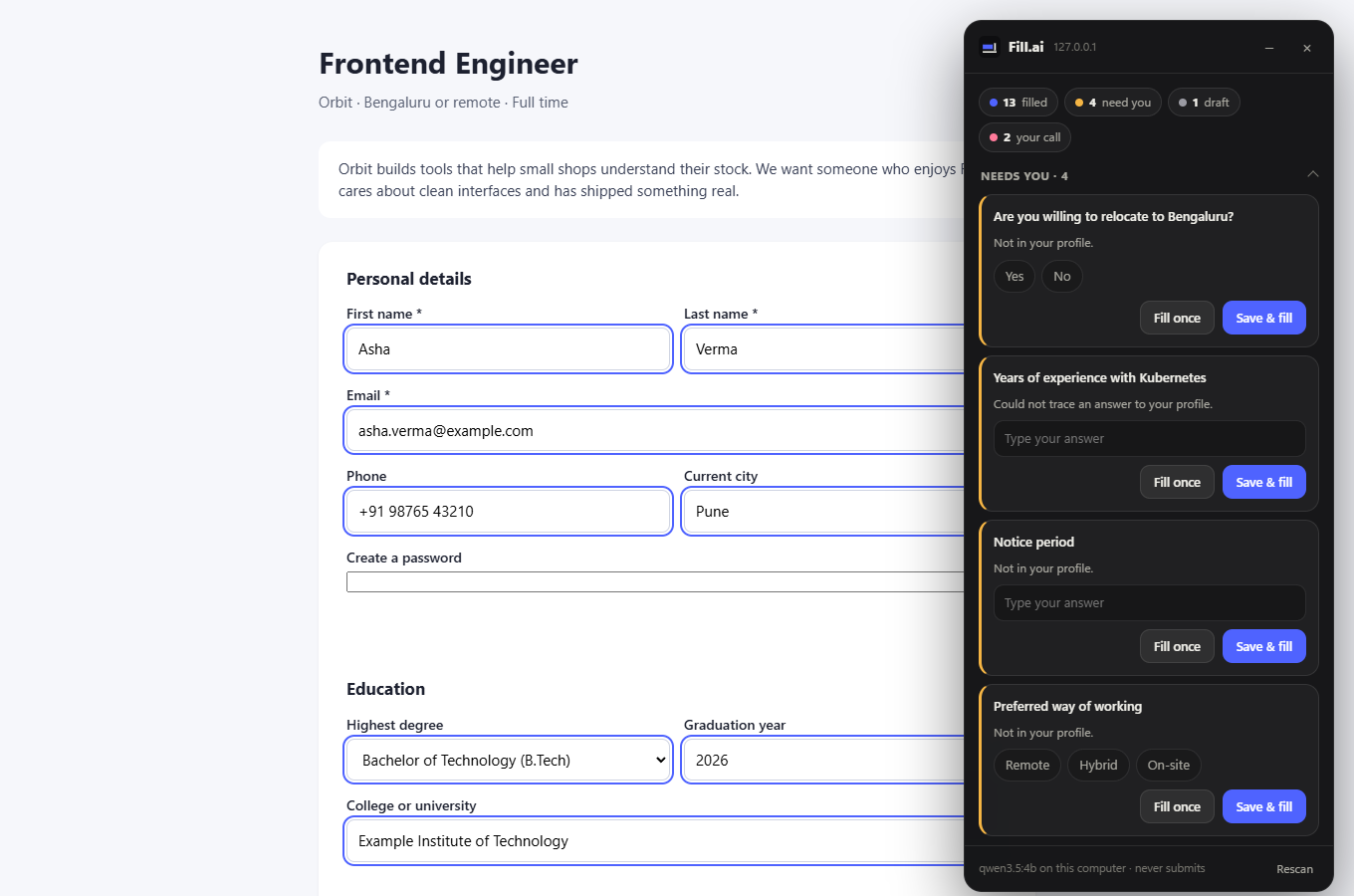
Fill.ai's panel beside a job application it has filled, with four questions left for the person
The panel on a test job form, filled from a made up profile. Blue outlines mark what Fill.ai filled.

(02) · Install

Two minutes, once.

Fill.ai isn't on the Chrome Web Store yet, so Chrome needs you to load it by hand. You only do this once.

  1. Download Fill.ai and unzip it

    On Windows, right click the file and choose Extract All. Put the folder somewhere it can stay, like Documents: Chrome runs Fill.ai from that folder.

  2. Open the extensions page

    Paste this into the address bar. Chrome doesn't let web pages link there.

    chrome://extensions
  3. Switch on Developer mode

    The switch is at the top right.

  4. Click Load unpacked

    Choose the unzipped fill-ai folder, the one with manifest.json inside.

  5. Set it up

    Fill.ai opens its settings by itself. Choose the AI, drop in your resume and press Build my profile.

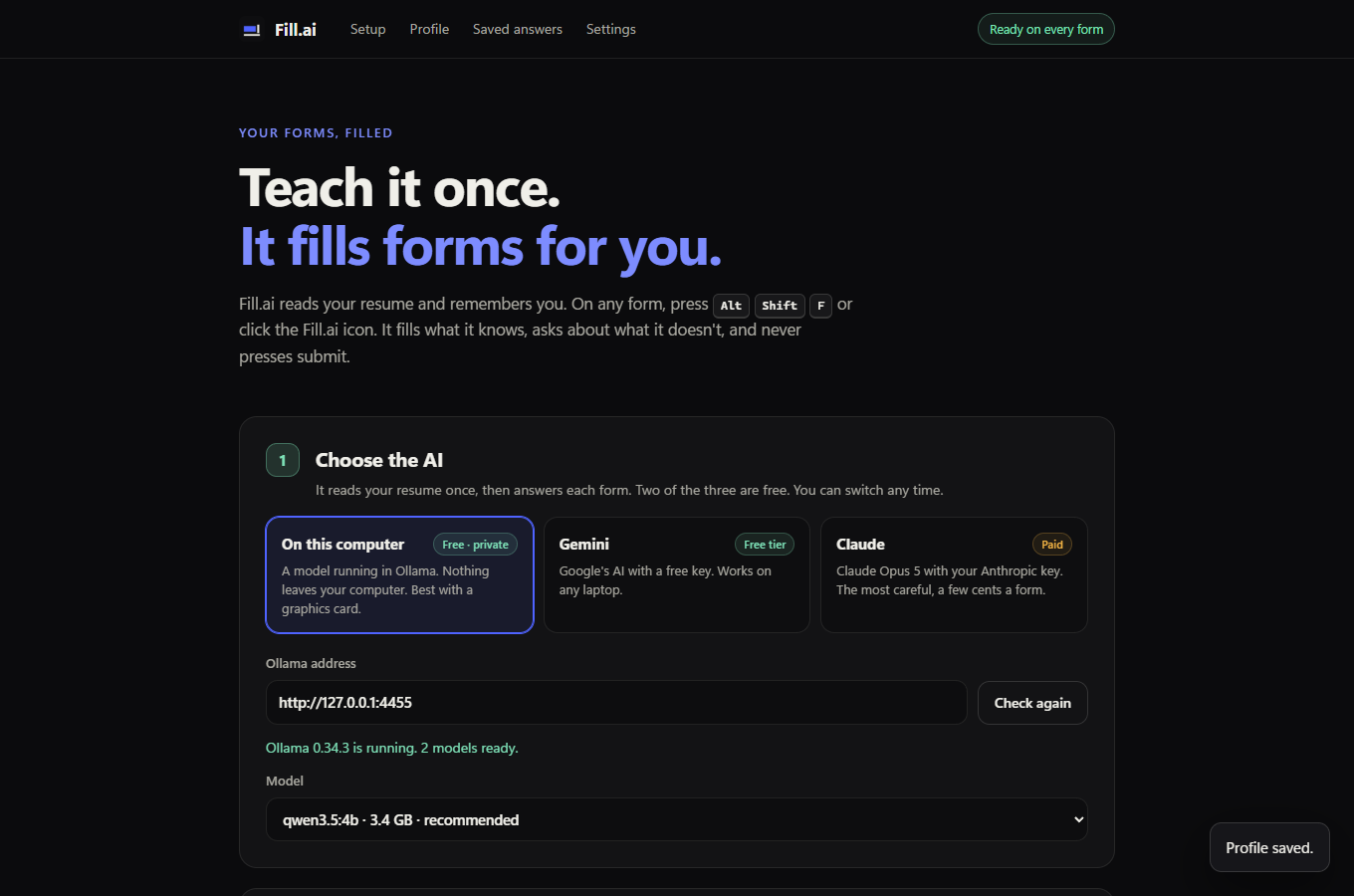
Fill.ai settings, choosing the AI that runs on this computer
In Edge the page is edge://extensions and the switch sits on the left.

(03) · The AI

Two of the three are free.

Pick one in settings and switch whenever you like. Your profile stays either way.

On this computer

Free · private

A model runs on your own graphics card through Ollama. Nothing about you leaves your computer.

  1. Install Ollama from ollama.com.
  2. Run this once in a terminal (3.4 GB): ollama pull qwen3.5:4b

Fill.ai finds it by itself. About 30 to 50 seconds a form on a laptop GPU.

Gemini

Free tier

Google's AI with a free key. Works on any laptop, no graphics card needed.

  1. Get a key at aistudio.google.com. No card needed.
  2. Paste it into Fill.ai's settings.

On the free tier, Google may use what you send, your resume included, to improve its products.

Claude

Paid

Claude Opus 5 with your own Anthropic key. The most careful answers, a few cents a form.

  1. Get a key at console.anthropic.com.
  2. Paste it into Fill.ai's settings.

API use is billed separately from a Claude subscription.

(04) · Honest by design

It never makes things up.

An AI that fills forms is only useful if you can trust it. Fill.ai checks every answer in code before it touches the page, whichever AI gave it.

(05) · Privacy

Your data stays yours.

Your profile, saved answers and keys live in your browser. When a form is filled, its questions and your profile go only to the AI you chose: nowhere at all on your computer, to Google with Gemini, to Anthropic with Claude.

No accounts, no analytics, and no server of mine in between.

Updating

When a new version is out.

  1. Download the zip again.
  2. Unzip it into the same folder and replace the files.
  3. On chrome://extensions, press the reload arrow on Fill.ai.

Your profile and saved answers stay. Unzipping to a different folder makes a new copy, so use Export profile in settings first and import it there.

Ready when you are.

Download Fill.aiVersion 0.3.1 · 0.7 MB zip